Most of us log in to Singpass many times a year, for everything from tax matters to bookings. Scammers know that too, which is why a new, harder-to-fake login option is worth a few minutes of your time.
What is a Singpass passkey?
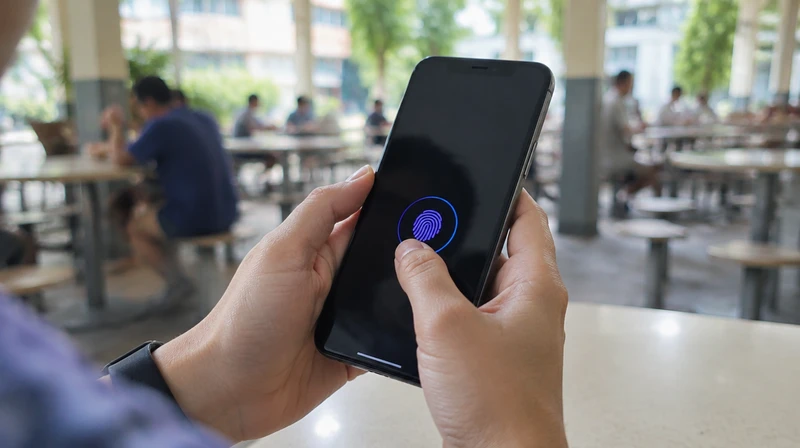
A passkey is a password-free way to log in. When you create one, your phone generates a pair of digital keys. The private key stays on your device, protected by your face, fingerprint or phone passcode. According to GovTech, passkeys only work on the real Singpass login domain, so they cannot be used on fake websites. There is no password or OTP to type in, so there is nothing for a scammer to trick you into handing over.
When did it start?
iPhone users from 1 July 2026, according to GovTech and the Police.
Android users from 9 September 2026, according to CNA. GovTech says users receive notifications in the Singpass app in phases, prompting them to create a passkey.
How to set one up
- Open the Singpass app and tap Create passkey.
- Confirm with your face, fingerprint or device passcode.
- Go to your phone settings and turn on autofill for Singpass, as the Singpass site advises.
- Try it the next time you log in.
If you do not see the option yet, it may be rolling out to your device in phases.
Do I have to switch?
No. GovTech says passkeys are an additional option. QR login, Face Verification and SMS OTP remain available.
What if I lose my phone?
CNA reports that if a device is lost or stolen, the Singpass app and the passkey on it are automatically deactivated when you set up Singpass on another device. GovTech also advises calling the Singpass Helpdesk to secure your account if your phone is lost or replaced.
Need a hand?
GovTech says you can contact the Singpass Helpdesk or visit a ServiceSG or Singpass counter, which are located in Community Centres or Clubs across Singapore.
ScamShield: your second layer
ScamShield is the government's anti-scam service. The Singapore Police Force advises people to call the ScamShield Helpline at 1799 or use the ScamShield app when in doubt. The ScamShield site also reminds us that SMS from the government comes from the gov.sg sender ID, and that you should never share your Singpass, CPF or banking details or OTPs with anyone.
What do the latest numbers say?
The Police's Mid-Year Scam and Cybercrime Brief 2026 reports that scam cases fell by 14.4% to 16,821 in the first half of 2026, and reported losses fell by 17.9% to about S$410.6 million. The median loss per case was S$1,350. The numbers are lower than before, but scams are still common.
Everyday habits that still matter
Never share your Singpass credentials, payment accounts or local SIM card with anyone. The Police say these are for personal use only.
Be careful with unsolicited messages and links, and verify delivery matters through the courier's official website or app.
Verify the request before transferring money.
If you are helping a parent or grandparent, set up the passkey together.
Technology can only do so much, so a short pause before you click or transfer is still the best protection.